I2P’s plugin framework lets you extend the router without touching the core installation. Available plugins cover mail, blogs, IRC, storage, wikis, monitoring tools, and more.
Security note: Plugins run with the same permissions as the router. Treat third-party downloads the same way you would treat any signed software update—verify the source before installing.
1. Install a Plugin
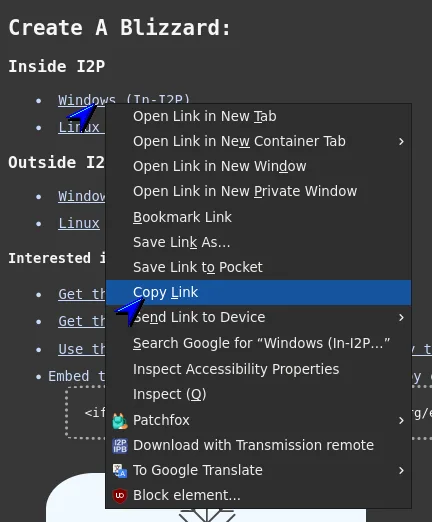
- Copy the plugin’s download URL from the project page.
- Open the router console’s Plugin Configuration page
.

- Paste the URL into the install field and click Install Plugin.
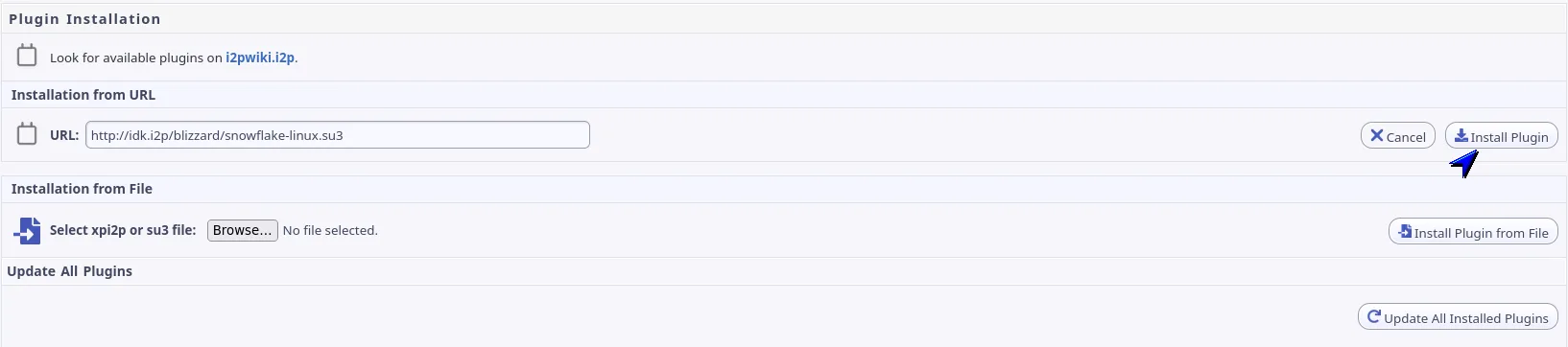
The router fetches the signed archive, verifies the signature, and activates the plugin immediately. Most plugins add console links or background services without requiring a router restart.
2. Why Plugins Matter
- One-click distribution for end users—no manual edits to
wrapper.configorclients.config - Keeps the core
i2pupdate.su3bundle small while delivering large or niche features on demand - Optional per-plugin JVMs provide process isolation when required
- Automatic compatibility checks against the router version, Java runtime, and Jetty
- Update mechanism mirrors the router: signed packages and incremental downloads
- Console integrations, language packs, UI themes, and non-Java apps (via scripts) are all supported
- Enables curated “app store” directories such as
plugins.i2p
3. Manage Installed Plugins
Use the controls on I2P Router Plugin’s to:
- Check a single plugin for updates
- Check every plugin at once (triggered automatically after router upgrades)
- Install any available updates with one click
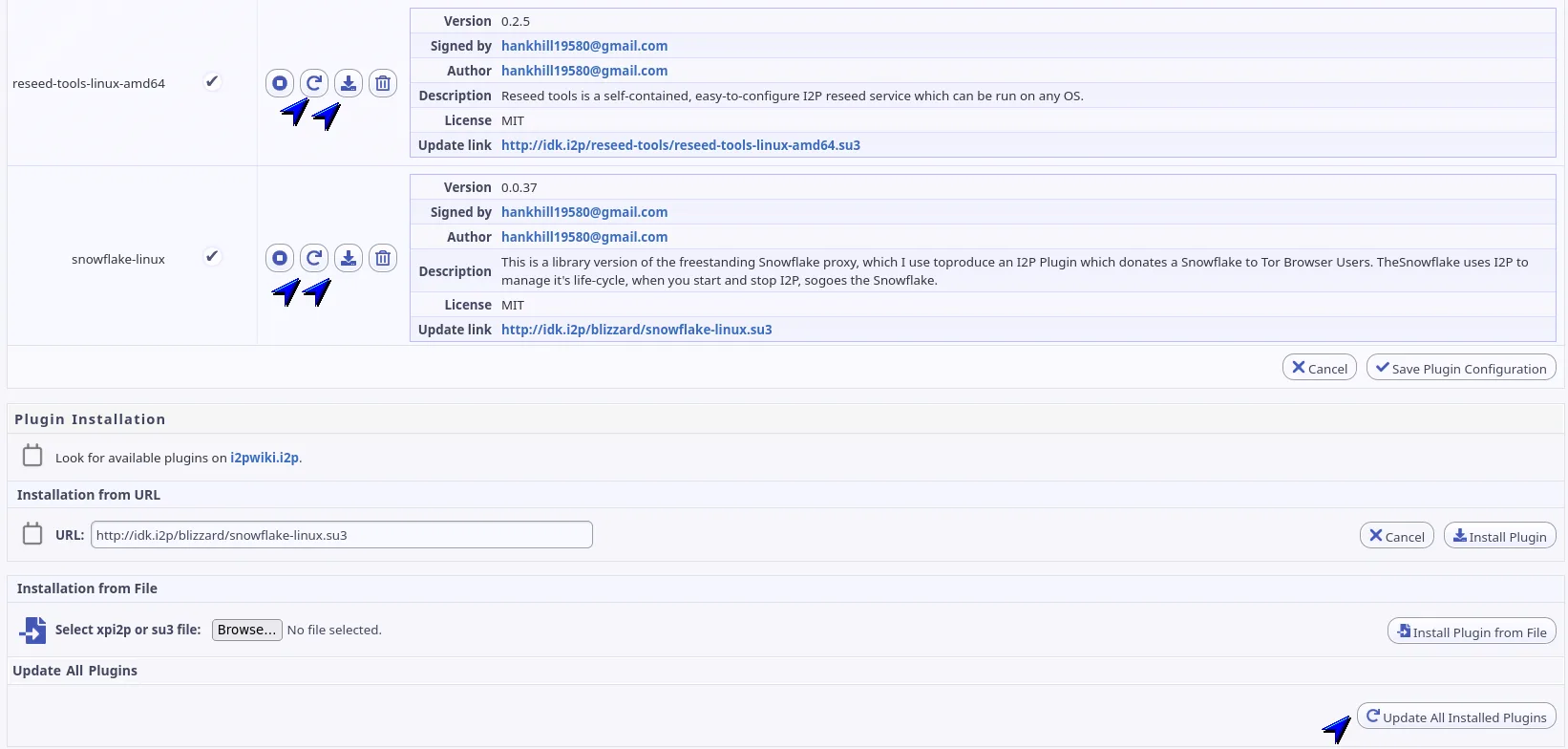
- Enable/disable autostart for plugins that register services
- Uninstall plugins cleanly
4. Build Your Own Plugin
- Review the plugin specification for packaging, signing, and metadata requirements.
- Use
makeplugin.shto wrap an existing binary or webapp into an installable archive. - Publish both install and update URLs so the router can distinguish first-time installs from incremental upgrades.
- Provide checksums and signing keys prominently on your project page to help users verify authenticity.
Looking for examples? Browse the source of community plugins on plugins.i2p (for instance, the snowman sample).
5. Known Limitations
- Updating a plugin that ships plain JAR files may require a router restart because the Java class loader caches classes.
- The console may display a Stop button even if the plugin has no active process.
- Plugins launched in a separate JVM create a
logs/directory in the current working directory. - The first time a signer key appears it is trusted automatically; there is no central signing authority.
- Windows sometimes leaves empty directories behind after uninstalling a plugin.
- Installing a Java 6–only plugin on a Java 5 JVM reports “plugin is corrupt” due to Pack200 compression.
- Theme and translation plugins remain largely untested.
- Autostart flags do not always persist for unmanaged plugins.
6. Requirements & Best Practices
- Plugin support is available in I2P 0.7.12 and newer.
- Keep your router and plugins up to date to receive security fixes.
- Ship concise release notes so users understand what changes between versions.
- When possible, host plugin archives over HTTPS inside I2P to minimise clear-net metadata exposure.
7. Further Reading
- Plugin specification
- Client application framework
- I2P scripts repository for packaging utilities